Seedance 2.0 Prompt Guide: Master the Art of AI Video Prompts
Learn how to write effective prompts for Seedance 2.0 to create stunning AI-generated videos. Complete guide with examples, templates, and advanced techniques.
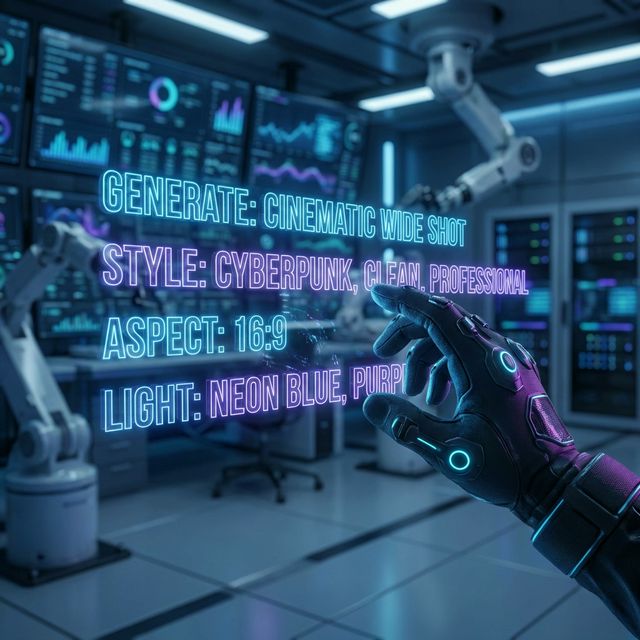
I used to think AI video generation was all about luck. Write a prompt, cross your fingers, and hope for the best.
Then I cracked the code.
After generating hundreds of videos with Seedance 2.0, I've discovered that prompt engineering is the single biggest factor determining whether you get a professional masterpiece or a disappointing mess.
The good news? It's not magic. It's a learnable skill. And in this guide, I'm going to share everything I've learned about crafting prompts that consistently produce cinema-grade results.
Why Prompts Matter More Than You Think
Here's the truth most people miss: Seedance 2.0 is incredibly powerful, but it's only as good as the instructions you give it.
The difference between a vague prompt and a well-crafted one?
- Vague prompt: "A woman walking" → Generic, boring output
- Well-crafted prompt: "A confident businesswoman in a navy blazer walks through a modern glass office building at golden hour, camera tracking shot from the side, cinematic color grading, shallow depth of field" → Stunning, professional result
Same AI. Same technology. Completely different outcomes.
The Anatomy of a Perfect Seedance Prompt
Every great prompt has five core components. Master these, and you'll master AI video generation:
1. Subject (Who/What)
Be specific about your main subject:
- Weak: "A person"
- Strong: "A 30-year-old Asian woman with shoulder-length black hair, wearing a cream cashmere sweater"
The more specific you are, the more consistent your results will be.
2. Action (What's Happening)
Describe the movement clearly:
- Weak: "Moving around"
- Strong: "Slowly turns her head toward the window, a gentle smile forming on her lips"
Use active verbs and specify the speed and direction of motion.
3. Setting (Where)
Ground your scene in a specific environment:
- Weak: "In a room"
- Strong: "In a minimalist Scandinavian apartment with floor-to-ceiling windows overlooking a snowy forest"
4. Style (How It Looks)
Define the visual aesthetic:
- Weak: "Nice looking"
- Strong: "Shot on 35mm film, warm color palette, soft natural lighting, shallow depth of field with bokeh"
5. Mood (How It Feels)
Set the emotional tone:
- Weak: "Happy"
- Strong: "Peaceful and contemplative, with a sense of quiet anticipation"
The Ultimate Prompt Formula
Here's my go-to template that works every time:
[Subject description] + [Action/Movement] + [Setting] +
[Camera movement] + [Lighting] + [Style keywords] + [Mood]
Example using the formula:
"A young jazz musician in a vintage brown suit plays saxophone in a dimly lit 1950s jazz club, smoke curling through the air. Camera slowly pushes in from medium shot to close-up on his face. Warm amber lighting from overhead spots creates dramatic shadows. Shot in the style of a classic noir film, intimate and soulful mood."
Camera Movement Keywords That Work
Seedance 2.0 understands professional cinematography terms. Use them:
| Camera Movement | Effect |
|---|---|
Static shot | Camera doesn't move, subject moves |
Push in | Camera moves toward subject |
Pull out | Camera moves away from subject |
Pan left/right | Camera rotates horizontally |
Tilt up/down | Camera rotates vertically |
Dolly shot | Camera physically moves parallel to subject |
Tracking shot | Camera follows moving subject |
Crane shot | Camera moves vertically through space |
Handheld | Slight natural shake for realism |
Steadicam | Smooth floating movement |
Style Keywords That Transform Your Videos
These keywords dramatically influence visual quality:
Film Styles:
Cinematic— Professional movie lookDocumentary— Raw, authentic feelCommercial— Clean, polished advertising styleMusic video— Dynamic, stylized visualsFilm noir— High contrast, dramatic shadows
Camera/Film References:
Shot on 35mm film— Classic film grain and colorARRI Alexa— Modern digital cinema lookAnamorphic lens— Widescreen with lens flaresVintage VHS— Retro analog aesthetic
Lighting Terms:
Golden hour— Warm sunset lightingBlue hour— Cool twilight tonesHigh key— Bright, even lightingLow key— Dramatic shadowsRim lighting— Backlit subject silhouetteNatural lighting— Soft, realistic illumination
Prompt Examples by Use Case
Product Showcase
A sleek smartphone rotates slowly on a white marble surface,
studio lighting creates subtle reflections on the glass screen.
360-degree rotation over 5 seconds, sharp focus on product
details, premium commercial style, minimalist and sophisticated.
Social Media Content
A lifestyle influencer in her late 20s laughs genuinely while
holding a coffee cup in a bright, airy cafe. Casual handheld
camera movement, soft natural window light, warm Instagram
aesthetic, authentic and relatable mood.
Storytelling/Narrative
An elderly fisherman sits alone on a wooden dock at dawn,
mending his net with weathered hands. Fog rolls across the
still water behind him. Static wide shot that slowly pushes in.
Shot on film with muted colors, melancholic and reflective tone.
Corporate/Professional
A diverse team of professionals collaborates around a
conference table in a modern glass office. One person
gestures while explaining a concept, others nod in agreement.
Smooth dolly movement around the table, clean corporate
lighting, professional and dynamic atmosphere.
Dramatic/Cinematic
A lone warrior stands atop a cliff at sunset, cape billowing
in the wind, looking out over a vast battlefield below.
Epic crane shot rising from behind the figure. Dramatic
rim lighting, desaturated color grade, heroic and solemn mood.
Advanced Prompt Techniques
1. Multi-Shot Sequences
Seedance 2.0 can create multiple shots in one generation:
Shot 1: Wide establishing shot of a rainy city street at night,
neon signs reflecting on wet pavement.
Shot 2: Medium shot of a woman in a trench coat walking with
an umbrella, seen from behind.
Shot 3: Close-up of her face as she looks up at something
off-screen, rain droplets on her cheeks.
2. Negative Prompts
Tell Seedance what to avoid:
A beautiful sunset over mountains, vibrant orange and pink sky.
Avoid: lens flare, overexposed highlights, artificial looking.
3. Reference Chaining with @
When using uploaded images:
@Image1 defines the character's exact appearance.
@Image2 sets the environment and lighting style.
Generate a 10-second video where the person from @Image1
walks through the setting from @Image2, looking around
curiously with subtle expressions of wonder.
4. Temporal Descriptions
Describe how things change over time:
Starting wide and slowly pushing in over 8 seconds.
The lighting gradually shifts from warm daylight to
cool evening blue. The subject's expression transitions
from neutral to a subtle smile by the end.
Common Prompt Mistakes (And How to Fix Them)
Mistake 1: Too Vague
❌ "A person in a place doing something"
✅ "A young woman in athletic wear stretches in a sunlit yoga studio, morning light streaming through large windows"
Mistake 2: Conflicting Instructions
❌ "Fast action scene, slow and peaceful mood"
✅ Choose one: Either dynamic action OR peaceful atmosphere
Mistake 3: Overloading with Details
❌ Including 15 different actions in a 4-second video
✅ Focus on 1-2 key movements per clip. More shots can be stitched together.
Mistake 4: Ignoring Physics
❌ "Hair and clothes stay perfectly still in a hurricane"
✅ Let physics work naturally: "Wind whips through her hair as she walks into the storm"
Mistake 5: Generic Style Words
❌ "Make it look good and professional"
✅ Use specific references: "Color graded like a Christopher Nolan film, high contrast with teal shadows and orange highlights"
My Top 10 Prompt Templates
Copy these and customize for your needs:
1. Product Hero Shot
[Product] rotates slowly on [surface], [lighting type] creates
[reflection/shadow effect]. [Duration] second 360-degree rotation,
[style], premium commercial aesthetic.
2. Lifestyle Portrait
[Person description] in [setting], [action with natural movement].
[Camera movement], [lighting], authentic lifestyle photography style,
[mood] atmosphere.
3. Urban Scene
[Time of day] in [city], [subject] moves through [specific location].
[Weather/atmosphere details]. Tracking shot, [film style],
[urban mood].
4. Nature Cinematic
[Natural landscape] at [time], [atmospheric elements like fog/light].
[Wildlife/plant movement if any]. Slow [camera movement],
shot on large format, contemplative and awe-inspiring.
5. Tech/Futuristic
[Futuristic element] in [sci-fi setting], [lighting effects like
hologram/neon]. [Camera movement through space],
Blade Runner-inspired aesthetic, mysterious and high-tech mood.
6. Food/Culinary
[Food item] with [appetizing details like steam/sauce drip],
[surface/background]. Macro lens close-up with [camera movement],
warm appetizing lighting, indulgent and sensory mood.
7. Fashion/Editorial
[Model description] in [designer outfit], [pose/movement] in
[editorial setting]. [Dramatic camera angle], high fashion
photography lighting, editorial and avant-garde style.
8. Sports/Action
[Athlete] performs [specific movement] in [sports setting].
[Speed: slow-motion/real-time], [camera angle],
dynamic sports broadcast style, intense and powerful mood.
9. Emotional Close-up
Extreme close-up of [person]'s face, [subtle expression change].
[Eye/lip movement details]. Static shot with shallow depth of field,
[lighting on face], intimate and emotionally charged.
10. Transition Scene
[Starting state] gradually transforms to [ending state] over
[duration]. [Visual transition method]. Smooth continuous shot,
[style], [mood that bridges both states].
The Iteration Mindset
Here's something I wish someone told me earlier: Your first prompt is just a starting point.
The best videos come from iteration:
- Generate with your initial prompt
- Analyze what worked and what didn't
- Refine specific elements
- Generate again
- Repeat until perfect
Keep notes on what works. Build your own prompt library. Over time, you'll develop an intuition for what Seedance responds to best.
The Bottom Line
Mastering Seedance 2.0 prompts isn't about memorizing formulas — it's about learning to communicate visually through words.
The more specific, intentional, and cinematically-minded your prompts become, the more professional your results will be.
Start with the templates in this guide. Experiment. Push boundaries. And most importantly, have fun with it.
You're not just typing words. You're directing films. And with Seedance 2.0, you have a world-class production team at your fingertips, waiting for your next instruction.
Now go create something amazing.
What's your favorite prompt technique? Share your best prompts in the comments — I'd love to see what you're creating with Seedance 2.0.
Related Articles:
- Seedance 2.0 Quick Start Guide - New to Seedance? Start here
- Seedance 2.0 Image to Video - Transform photos into videos
- Pricing Plans - Choose the right plan for your needs
- My Videos - Start creating your first video now